
Job Seekers: Test 3 Target Job Titles in 60 Minutes With AI Scores
Job Seekers: Test 3 Target Job Titles in 60 Minutes With AI Scores

Pick two or three job titles that match the level and function you actually want, then check that language against real job postings before you apply anywhere. That’s the whole starting move. Once you have those titles, use them in your resume header, your summary, and your search filters, and start running match tests right away. We built ResumeMatch specifically to make that last step fast instead of guesswork.
TL;DR:
- Testing multiple commonly used titles against real job descriptions quickly reveals which ones better match ATS filters and recruiter searches.
- Including specific industry-related keywords and scope details in titles significantly improves matching scores and application success rates.
- On average, testing three target titles with ResumeMatch takes less than an hour, replacing days of manual research and comparison.
- Emphasizing market-standard titles based on actual scope rather than internal labels prevents invisibility to recruiters and improves searchability.
- Maintaining a concise list of three to four well-validated titles enhances focus and effectiveness in reaching the right job openings.
Table of Contents
- How Do You Build a List of Target Job Titles?
- How Do You Rewrite an Internal Title Into a Market-Standard One?
- Target Job Title Examples Across Common Industries
- How Do You Test and Improve Your Target Job Titles?
- Why Title Testing Works, and How ResumeMatch Fits the Process
- My 60-Minute Title-Testing Checklist
- Get Your Titles Tested in Minutes, Not Weeks
- Sources
How Do You Build a List of Target Job Titles?
Start with the postings, not your own job history. Your current title tells you where you’ve been. The postings tell you what employers are actually searching for, and that gap is where most job seekers lose ground.
Here’s a process we’ve seen work consistently, whether you’re job-hunting in marketing, engineering, or finance.
- Pull 10 to 15 job descriptions for roles you’d genuinely take, and list the exact title used in each one.
- Group the synonyms. “Customer Success Manager” and “Client Success Lead” might be the same job wearing different clothes. Note which version shows up most.
- Look for seniority signals, not just the word “Senior.” Headcount managed, budget size, and whether the role sets strategy or executes it all tell you the real level, often better than the title itself.
- Draft 2 to 3 defensible variants per role — the exact title from top postings, plus one or two close synonyms you’d feel comfortable defending in an interview.
- Rank the list by match probability and fit. A title you’re a strong match for but only mildly excited about still beats one that excites you and rejects you at the ATS stage.
- Cut anything below your realistic experience threshold. Aspirational titles waste application slots.
Job seekers who maintain one strong target resume and tailor small pieces of it per application, rather than writing from scratch each time, tend to move faster through this whole loop, according to Huntr’s guidance on resume tailoring. Keep your title list to three or fewer at any given time. More than that and you’re not targeting, you’re spraying.
How Do You Rewrite an Internal Title Into a Market-Standard One?
Company-specific titles like “Growth Ninja” or “Happiness Engineer” might feel fun internally, but they’re often invisible to a recruiter’s search filter. Unusual titles simply don’t match the terms recruiters and ATS systems search for, so the fix isn’t cosmetic. It’s translation.
Start by auditing your actual scope: headcount you managed, budget you controlled, and how far your decisions reached across teams. That scope, not your label, is what determines the honest market-standard equivalent. A “Manager” running a five-person team with full budget authority at a 50-person startup often maps to a “Director” role at a larger company. Document that scope in your bullet points so the title choice holds up.
- Use a parenthetical format when your internal title is too vague to stand alone: “Happiness Engineer (Customer Support Lead).”
- Keep your official title only when your bullets clearly show equivalent scope without it.
- Rewrite the title itself when the internal name actively hides your function from a keyword search.
- Never inflate seniority beyond what your actual scope supports. Title inflation is common enough that a recent survey found workers widely believe companies use inflated titles to fake career growth, and hiring managers have gotten sharper at spotting it.
- Prepare a one-sentence explanation for interviews or background checks that ties your resume title back to your official one.
Pro Tip: Keep your official title on file for any employment-verification step, but use the market-standard version on your resume. If asked, explain the equivalence in one sentence: “My official title was X, but I managed Y scope, which is typically titled Z.”
Before: “Digital Ninja.” After: “Digital Marketing Specialist (SEO & Paid Media).” That single change makes you searchable without changing a fact about your work.

Target Job Title Examples Across Common Industries
You don’t need a creative title. You need the title that shows up in the postings you’re trying to match, plus a synonym or two for backup. Here’s a starting set across industries where title language varies the most:
- Marketing: “Marketing Manager” or “Content Marketing Manager.” Add the specialization (“SEO,” “Lifecycle,” “Growth”) when your work is channel-specific.
- Engineering: “Software Engineer” or “Backend Engineer.” Tech stack matters here, so “Software Engineer (Python/Django)” often outperforms the generic version.
- Product: “Product Manager” or “Technical Product Manager” if you work closely with engineering.
- Sales: “Account Executive” or “Business Development Representative,” depending on whether you close deals or generate pipeline.
- Operations: “Operations Manager” or “Program Manager” when the role is cross-functional rather than purely operational.
- Finance: “Financial Analyst” or “FP&A Analyst” if your work centers on forecasting and planning.
- HR: “HR Business Partner” or “People Operations Manager,” depending on whether you’re strategic or process-focused.
- IT: “IT Support Specialist” or “Systems Administrator,” split by whether you manage infrastructure or end-user support.
- Customer Success: “Customer Success Manager” or “Client Success Lead.”
Add a specialization tag only when it narrows your match without shrinking your applicant pool too far. If half the postings you’re targeting mention a specific tool or certification, that’s your cue to add it.
How Do You Test and Improve Your Target Job Titles?
Guessing which title works best is slow. Testing is fast, and it gives you a number instead of a feeling.
- Run each candidate title through a match-score check against 5 to 10 real job descriptions in your target field.
- Record the score for each title variant side by side. Patterns show up quickly.
- A/B test resume versions with different titles across similar job openings, and track which version generates more interview requests.
- Watch four metrics over time: match score, interview rate, recruiter outreach volume, and time until your next-stage response.
- Drop any title that consistently underperforms after five or more applications.
Modern ATS and AI job-matching platforms weight exact phrasing from the job description heavily, so a title that echoes the posting’s own language tends to score higher, according to QuickApply’s guidance on AI resume strategy. ResumeMatch’s Career Probability Report gives you that score in about 30 seconds instead of the hours it takes to compare postings by hand, which means you can test three titles in the time it used to take to test one.
Why Title Testing Works, and How ResumeMatch Fits the Process
Accurate, keyword-matched titles help your resume clear ATS filters and improve your odds of landing an interview, according to Indeed’s career guidance on job titles. That’s not a small detail. Title language is often the first filter a system applies before a human ever opens your resume.
ResumeMatch’s analysis engine reads your resume in about 30 seconds, extracts your keywords, and matches you against live listings across multiple job boards. The Career Probability Report layers on salary insights and a resume gap analysis, so you can see exactly where a title choice is helping or hurting your match score before you submit anything. Each feature maps to a step in the loop above: keyword extraction feeds your title list, instant match scores replace manual comparison, and the gap analysis tells you what to fix next. It turns a process that used to take an evening into one that takes a coffee break.
My 60-Minute Title-Testing Checklist
Here’s what I’d do in the next hour if I were rebuilding a job search from scratch. Pick your top three target titles, based on what actually shows up in postings you want. Run each one through a match test against five real listings. Update your resume header and your top bullet point to reflect whichever title scored highest, and make sure that bullet backs it up with real scope, not just a label.
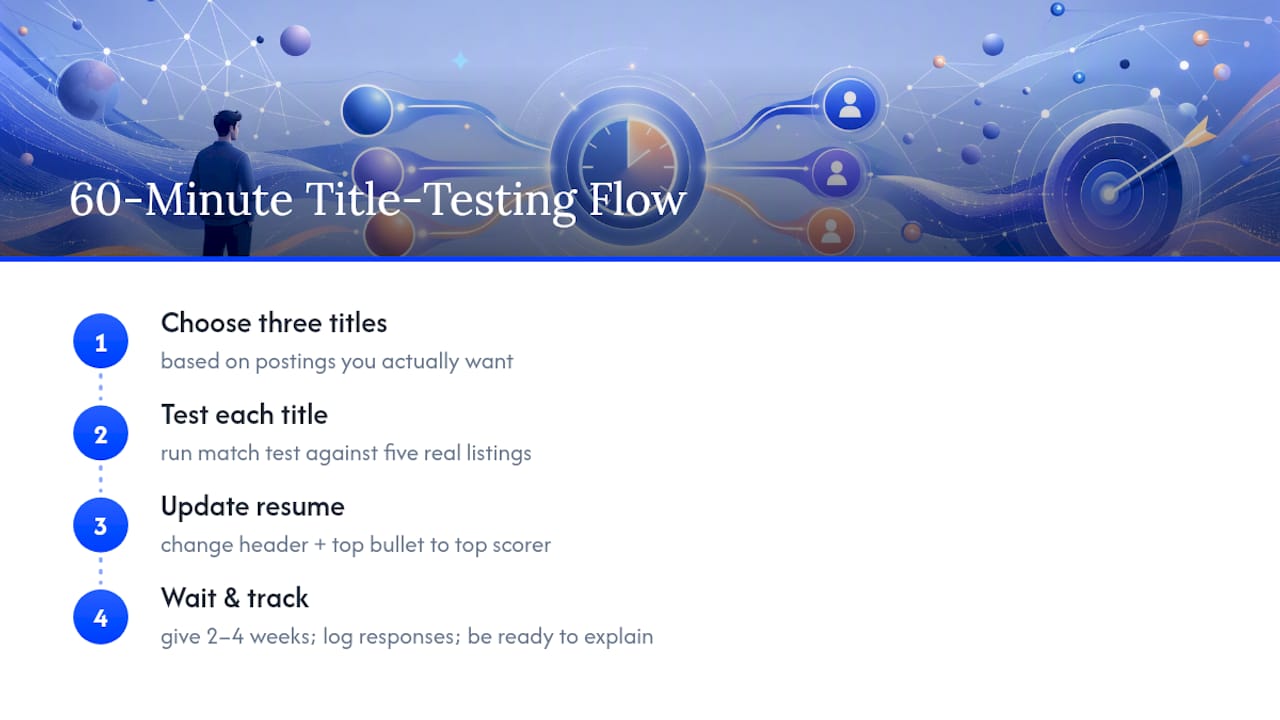
One honesty note: if you rewrite a title, know exactly how you’d explain it in an interview or a background check. Don’t get caught improvising.
Give this two to four weeks before judging results. Titles that looked strong on paper sometimes underperform once real recruiters see them, and that’s useful information, not failure. Track everything so you know which title earned which response.
— Resume
Get Your Titles Tested in Minutes, Not Weeks
Running these tests by hand means opening postings one at a time, copying keywords, and comparing scores in a spreadsheet. ResumeMatch does that work in about 30 seconds per resume, which turns a multi-day title experiment into something you can finish before lunch.
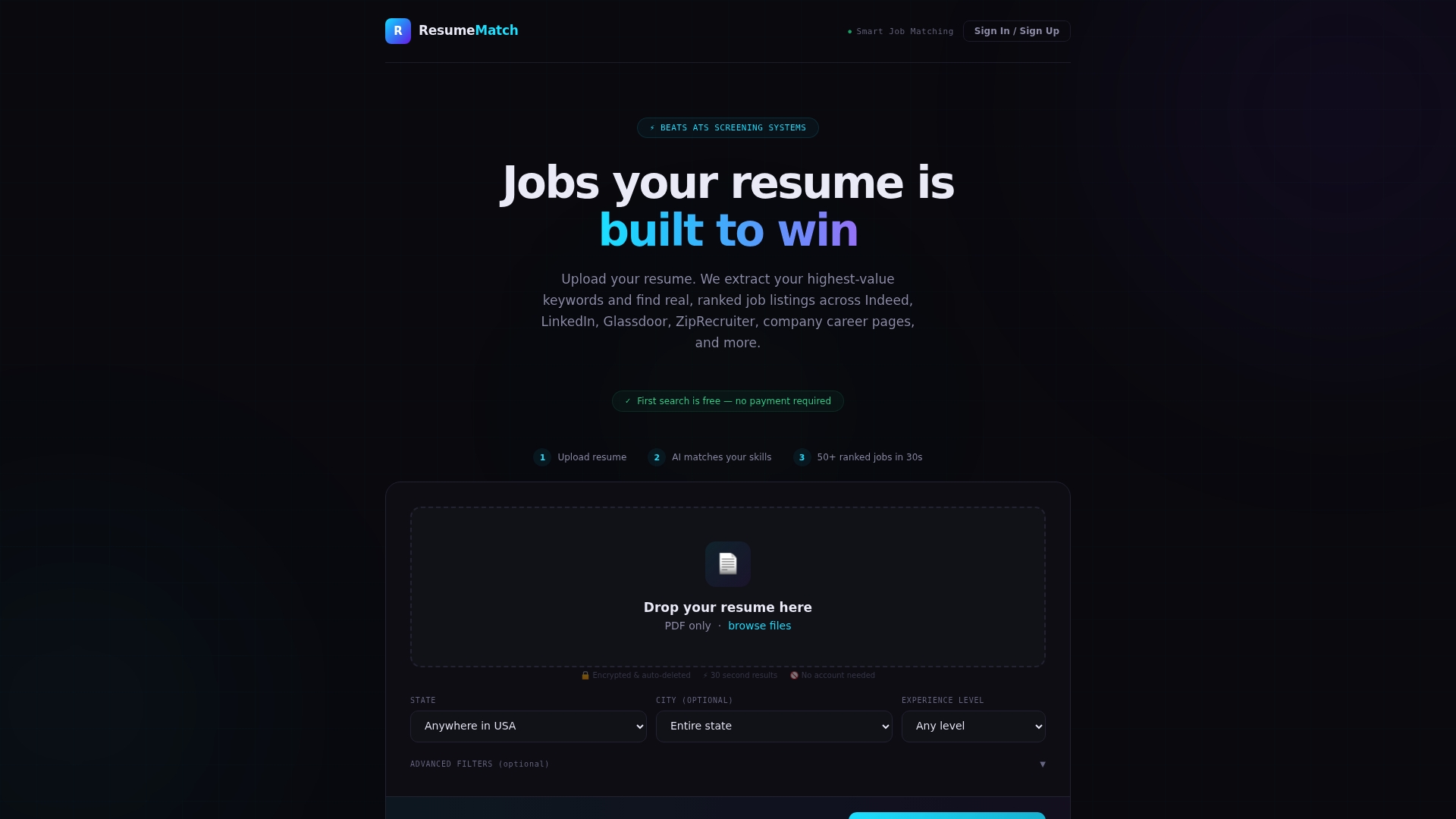
Upload your resume and ResumeMatch’s AI extracts your keywords, matches you against tailored listings across multiple job boards, and generates a Career Probability Report covering salary insights and resume gap analysis. Instead of guessing whether “Operations Manager” or “Program Manager” fits your background better, you get an actual score for each. Every subscription starts with a free trial, so you can run your first three title tests before you commit to anything. If application volume is your bigger bottleneck once your titles are locked in, ResumeMatch’s agent-based service can apply on your behalf using the titles you’ve already validated. Start your free trial at ResumeMatch and see your match score before your next application goes out.