
Tailor Data Analyst Resume Keywords in 20 Minutes to Prove Fit
Tailor Data Analyst Resume Keywords in 20 Minutes to Prove Fit

Prioritize SQL, a programming language like Python or R, one BI tool (Tableau, Power BI, or Looker), core statistical methods, and data cleaning or ETL terms. One action matters more than any list: pull the exact language from the job posting and place it in your Summary, Skills, and Experience sections, then attach a number to every tool you name.
TL;DR:
- Including specific keywords from the job posting such as SQL, Python, and Tableau, and attaching measurable outcomes can significantly improve ATS ranking and recruiter interest.
- Tailoring your resume with relevant keywords should focus on the role’s core functions, whether dashboard building, experimentation, or data pipeline development, reflecting your actual experience.
- Place your top keywords in your summary, organize skills into categories, and rewrite experience bullets with tool + task + result to maximize both machine and human recognition.
- Use a standard, text-based resume format to avoid parsing errors, and verify that all key terms are supported with concrete examples in your experience to demonstrate proficiency.
- Continually update and tailor your resume for each application by scanning the posting for repeated or emphasized terms, ensuring your keywords align with the specific role’s requirements.
Table of Contents
- Resume Keywords Data Analyst Recruiters Actually Search For
- Which Keyword Cluster Matches Your Target Role
- How ATS Parsing Actually Works (and Where It Breaks)
- Where to Place Keywords for the Best ATS and Human Impact
- A 6-Step Checklist to Tailor Your Resume in 20 Minutes
- Copy-Ready Resume Bullets for Common Analyst Tasks
- Common Mistakes That Undermine Strong Keywords
- Industry-Specific vs. General Keywords: What to Prioritize
- Do Recruiters Actually Read Keywords, or Just Machines?
- Tailoring Keywords by Experience Level
- The View From ResumeMatch: Keywords Prove Fit, Not Fluency
- Let ResumeMatch Handle the Keyword Guesswork
- Sources
- FAQ
Resume Keywords Data Analyst Recruiters Actually Search For
Think of your resume keywords in five buckets. Each one answers a different question an applicant tracking system, and eventually a human, is asking about you.
Query and database languages. This is the bucket recruiters check first.
- SQL — queries, joins, window functions, subqueries
- NoSQL — MongoDB, document stores, unstructured data handling
- Database management — normalization, indexing, schema design
Analysis and scripting languages. These prove you can go beyond spreadsheets.
- Python — pandas, NumPy, scripting for automation
- R — statistical modeling, ggplot2 visualizations
- Excel/VBA — pivot tables, macros, advanced formulas (still worth listing, even in 2026)
BI and visualization tools. ATS systems for data analyst roles are built to catch these specific product names, not generic phrases like “data visualization software.”
- Tableau — dashboard creation, calculated fields
- Power BI — DAX, Power Query, report publishing
- Looker — LookML, explore builds
Statistics and methods. This bucket separates people who run reports from people who interpret them.
- A/B testing — hypothesis testing, statistical significance
- Regression analysis — linear, logistic
- Cohort analysis — retention curves, segmentation
- Forecasting — time series, trend analysis
Data infrastructure and deliverables. Warehouses and pipelines show you understand where the data lives before it hits a dashboard.
- ETL (extract, transform, load) — pipeline building
- Snowflake / BigQuery / Redshift — cloud warehouse experience
- Data cleaning — deduplication, validation, quality checks
- Dashboard reporting — recurring or automated reports
Notice the pattern with ETL: spell out the full phrase once, then use the abbreviation. Some parsing engines tokenize differently, and writing both versions covers you either way, according to JobWizard AI’s ATS guidance. The same logic applies to KPI (key performance indicator), YoY (year over year), and CRM (customer relationship management). Skip abbreviations only when a term has no meaningful full form worth writing out, like SQL itself.
Which Keyword Cluster Matches Your Target Role
Job titles lie a little. A “Data Analyst” posting at one company wants a report builder. At another, it wants someone running experiments. The keywords you emphasize should follow the actual duties in the listing, not the title on it.
BI and reporting analyst. These roles live inside dashboards. Sample keywords: Tableau, Power BI, DAX, report automation, stakeholder reporting, KPI tracking, data storytelling, executive dashboards, scheduled reports, ad hoc analysis. In your experience bullets, prove you can turn a raw request into a self-serve dashboard someone else actually uses.
Product analyst. Growth and product teams want experimentation fluency. Sample keywords: A/B testing, funnel analysis, cohort retention, feature adoption, SQL, product metrics, user segmentation, event tracking, statistical significance, experimentation platforms. Prove that you’ve influenced a real product decision with a test result, not just that you know the vocabulary.
Analytics engineer / data-adjacent analyst. This cluster sits closer to engineering. Sample keywords: dbt, ETL, data pipelines, Snowflake, BigQuery, version control (Git), data modeling, warehouse architecture, orchestration, data quality checks. Prove you can build something that survives beyond one report request.
Operations analyst. Efficiency and process metrics dominate here. Sample keywords: process optimization, forecasting, inventory analysis, supply chain metrics, SQL, Excel modeling, capacity planning, cost analysis, root cause analysis, KPI dashboards.
Finance analyst. Numbers still, but the vocabulary shifts toward the business. Sample keywords: financial modeling, variance analysis, budgeting, P&L reporting, forecasting, SQL, Excel, revenue analysis, cost-benefit analysis, scenario planning.
Healthcare analyst. Regulatory and clinical vocabulary matters as much as technical skill. Sample keywords: HEDIS measures, claims data, EHR/EMR systems, HIPAA compliance, patient outcomes analysis, SQL, risk adjustment, population health metrics.
Title variants matter because role-aligned keyword clusters shift what an ATS and a hiring manager both expect to see. A “Product Analyst” posting that never mentions dashboards but mentions “experimentation” four times is telling you exactly which cluster to lean on. Put your top three cluster keywords in your Summary line and let the rest fill out your Skills section.
How ATS Parsing Actually Works (and Where It Breaks)
An applicant tracking system doesn’t read your resume the way a person does. It tokenizes the text, breaking it into searchable chunks, then scores those chunks against the keywords a recruiter entered or the job description generated. If your resume was submitted as an image-based PDF, has text boxes, or uses a graphic-heavy template, entire chunks can go missing before scoring even starts.
Here’s where resumes commonly fail parsing:
- Text inside tables or graphics. Many parsers skip content in design elements like sidebars, icons, or infographic-style skill bars entirely.
- Nonstandard section headers. “What I Bring to the Table” instead of “Skills” can confuse a parser looking for standard section labels.
- Abbreviation-only or full-term-only listings. If the job posting says “SQL” and you only wrote “Structured Query Language,” you may miss an exact-match check.
- Headers and footers holding key info. Contact details or certifications tucked into a header can get dropped during extraction.
- Unusual file types. Some systems still choke on .pages files or heavily formatted .docx templates with embedded objects.
Example, before: “Skilled in various analytical tools and reporting software to support business needs.”
Example, after: “Built weekly Tableau dashboards using SQL queries to track a $2M sales pipeline across 12 regions.”
The second version names the tool, the language, and a deliverable. That’s the difference between text a parser can score and text it simply passes over.
Pro Tip: Save your resume as a standard .docx or a text-based PDF (not scanned or exported from an image), and open it in a plain text viewer once. If your skills section, dates, or contact info disappear or scramble, an ATS will likely see the same broken version.
Where to Place Keywords for the Best ATS and Human Impact
Placement determines whether a keyword actually counts. A tool named once in a wall of paragraph text scores differently than the same tool repeated in your Summary, Skills, and Experience.
Summary section. Open with 6 to 10 of your highest-priority keywords woven into two or three sentences, plus a value statement. Something like: “Data Analyst with 4 years of experience in SQL, Python, and Tableau, specializing in automated reporting that reduced manual analysis time across cross-functional teams.”
Skills section. Group by category instead of dumping everything into one long, undifferentiated line. A cleaner structure looks like this:
- Query & Programming: SQL, Python, R
- BI & Visualization: Tableau, Power BI
- Methods: A/B testing, cohort analysis, regression
- Data Infrastructure: ETL, Snowflake, BigQuery
This grouping lets an ATS parser pick up each keyword individually while giving a recruiter a two-second scan advantage, an approach JobWizard AI’s parsing breakdown backs directly.
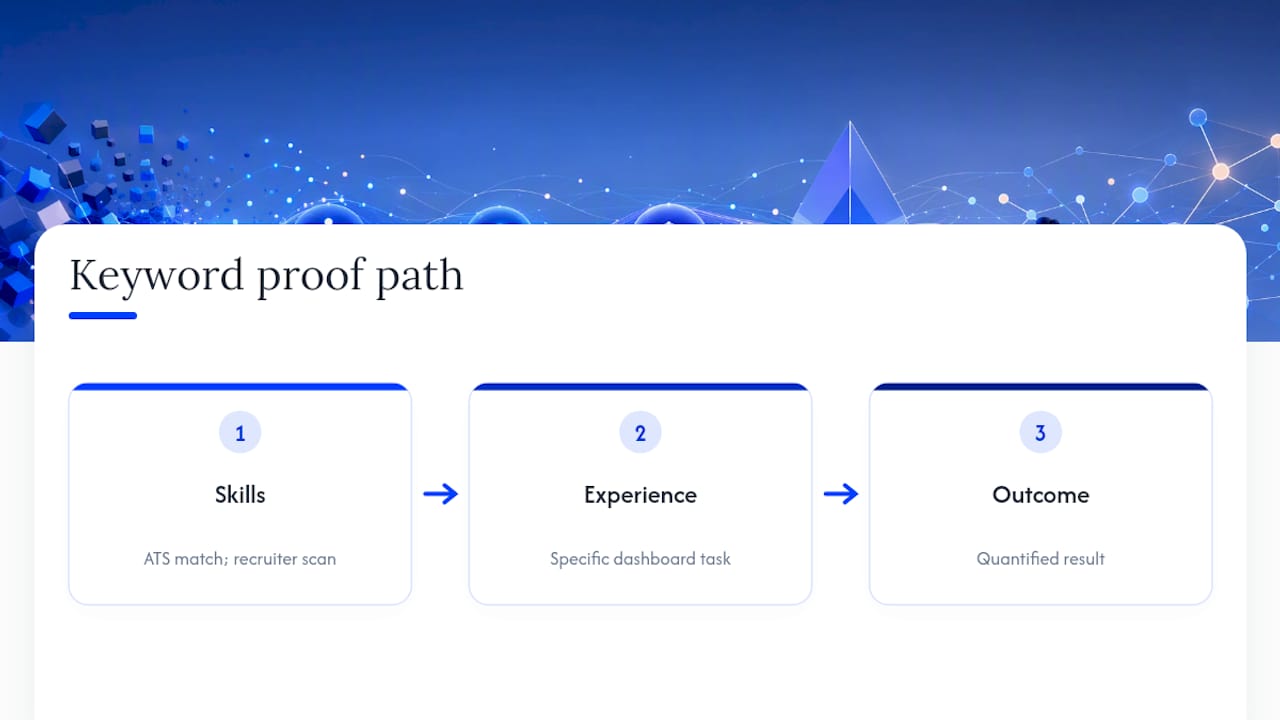
Experience bullets. Use the formula: tool + task + measurable outcome. “Automated weekly reporting using Python and SQL, cutting turnaround time from three days to four hours.” Lead with the verb and result, then let the tool name sit in the same line for the ATS scan, a sequencing Jobscan’s resume analysis recommends specifically because recruiters read outcomes first and scanners still catch the tool keyword regardless of where it lands in the sentence.
Projects section. Add this if you’re switching from an adjacent field, like marketing analytics moving into product analytics. One well-built project bullet, showing an A/B test with real numbers, can carry more weight than three vague job bullets.
Resumes that name specific tools and pair them with outcomes see measurably higher recruiter interest than resumes that only list generic skill categories, according to Jobscan’s analysis of high-match resumes. Vague phrasing doesn’t just underperform with machines. It underperforms with people too.
A 6-Step Checklist to Tailor Your Resume in 20 Minutes
You don’t need to rewrite your resume for every application. You need a fast, repeatable swap process.
- Scan the posting for repeated terms. Look for a few words or phrases mentioned multiple times, plus specific deliverables. This mirrors the approach Indeed’s career advice team recommends: treat every posting as its own keyword puzzle rather than assuming last week’s version still fits.
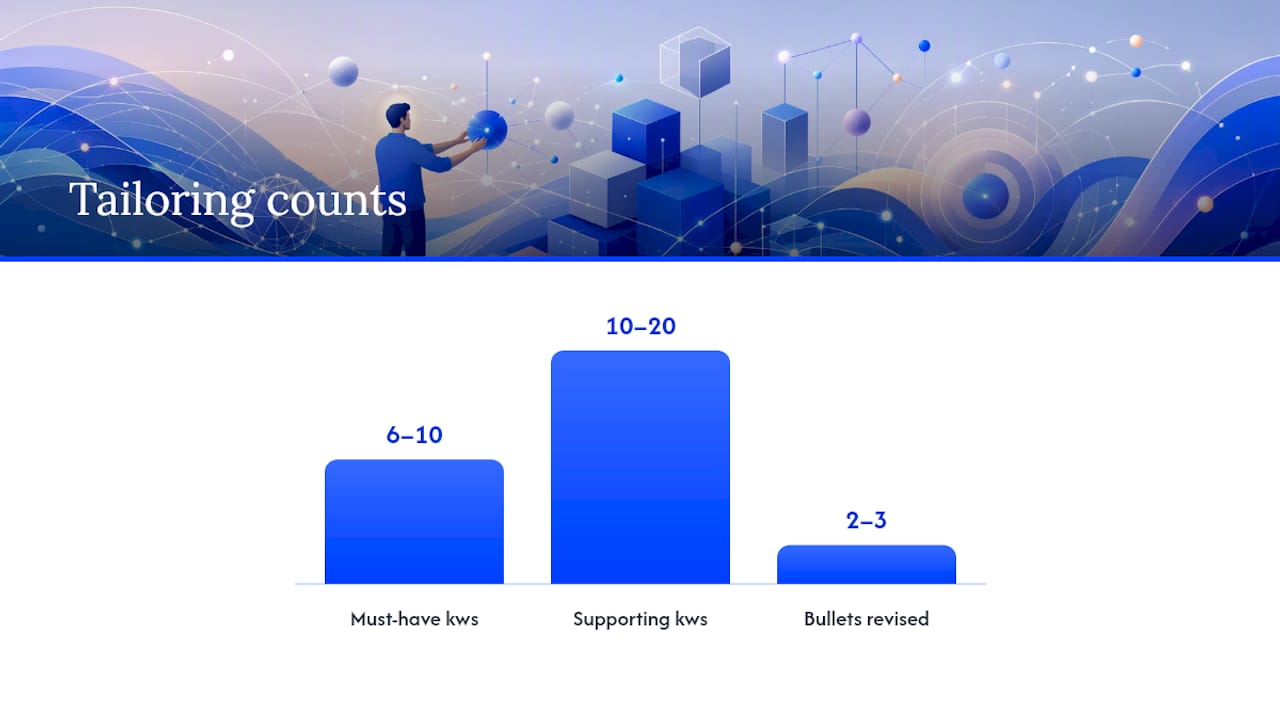
- Build your core keyword set. Pick 6 to 10 must-have keywords and 10 to 20 supporting terms from the categories above.
- Update your Summary and Skills. Swap in the top keywords from step 2, keeping your grouped Skills structure intact.
- Revise 2 to 3 experience bullets. Rewrite the bullets closest to the job’s core duties using the tool + task + outcome formula.
- Run a quick match check. Compare your updated resume against the posting, or save your phrasing choices in a doc you can reuse for similar roles, an approach tracking your applications makes far less chaotic over multiple submissions.
- Do a final format check. Confirm the file opens cleanly, the layout didn’t shift, and no headers or footers hold information a parser might drop.
Pro Tip: Keep a master document with every keyword-swapped bullet you’ve ever written. Most tailoring after your first two or three applications becomes copy, paste, and light editing rather than writing from scratch.
Speed here comes from preparation, not shortcuts. A prioritized swap list turns a 90-minute tailoring session into a 20-minute one.
Copy-Ready Resume Bullets for Common Analyst Tasks
Adapt these to your own scale and numbers. The structure matters more than the exact wording.
- SQL reporting: “Wrote SQL queries to automate a weekly sales report for a leadership team, replacing a manual process that took several hours.”
- Python data pipeline: “Built a Python ETL pipeline that consolidated data from 4 sources, reducing report prep time by half.”
- Tableau dashboard: “Designed a Tableau dashboard tracking customer churn across multiple product lines, adopted by the customer success team.”
- Power BI reporting: “Migrated legacy Excel reports to Power BI, significantly reducing monthly reporting turnaround time.”
- A/B test analysis: “Analyzed A/B test results for a checkout flow redesign, identifying a variant that increased conversion by measurable margins across a large number of sessions.”
- ETL/warehouse work: “Managed data ingestion into Snowflake from multiple operational systems, improving data availability for downstream analysts.”
- Cohort analysis: “Ran cohort retention analysis on a subscription product, surfacing a drop-off pattern that informed a new onboarding flow.”
- Entry-level variant: “Assisted in building SQL queries and Excel reports to support a 4-person analytics team during a product launch.”
- Experienced variant: “Led a cross-functional analytics initiative using SQL, Python, and Tableau to redesign executive reporting for a 200-employee organization.”
- Forecasting example: “Built a demand forecasting model in R that reduced inventory overstock by identifying seasonal buying patterns.”
Quantifying scale, whether that’s rows processed, users affected, or reporting frequency, makes these claims far more credible to a hiring manager than the tool name alone, a pattern Jobscan’s resume research confirms repeatedly across high-performing resumes. An entry-level version leans on scope (“assisted,” “supported,” smaller team sizes). A senior version leans on ownership (“led,” “designed,” “redesigned”) and broader organizational impact. The tools can be identical. The verbs and scale are what shift.
Common Mistakes That Undermine Strong Keywords
Repeating “data-driven” six times across your resume doesn’t make you more data-driven. It makes a recruiter wonder what you’re actually hiding behind the phrase.
Keyword stuffing is a real risk, not just an aesthetic complaint. Some ATS parsers and recruiter heuristics can flag or penalize unnatural repetition, so contextual proof beats density every time. If you list “SQL” five times but never show what you did with it, both the software and the human reading it will notice the gap.
Before you submit, check for these red flags:
- Formatting drift — inconsistent fonts, spacing, or bullet styles between sections
- Unsupported claims — a listed skill with zero backing bullet anywhere in your experience
- Inconsistent dates — gaps or overlaps that don’t match your LinkedIn or application form
- Generic filler phrases — “results-oriented team player” instead of a specific, provable claim
- Skills with no proof — anything in your Skills section that never appears again in Experience
Run a final check before you hit submit:
- File saved as a standard, text-readable format (not a scanned image)
- Summary keywords match the top 3 to 5 terms from the posting
- Every skill you claim has at least one supporting bullet
- You can explain, in one sentence, why you’re a fit for this specific role
A resume that passes all four checks is one you can defend in an interview, which matters more than any parsing score.
Industry-Specific vs. General Keywords: What to Prioritize
General keywords like SQL, Excel, and data visualization show baseline competence. Industry-specific keywords, like HEDIS measures for healthcare or GAAP for finance, show you understand the world your future employer operates in. Both matter, but they don’t matter equally at every stage of your search.
Start by reading three to five job postings in your target industry side by side. The terms that show up across all of them, not just one, are your priority tier. If “claims data” appears in every healthcare analyst posting you’re looking at, it belongs near the top of your Skills section. If it appears in only one, treat it as optional.
General technical keywords should still anchor your resume, since they’re what most ATS configurations screen for first, regardless of industry. Layer industry vocabulary on top, especially in your Summary and in one or two experience bullets that show domain fluency. A résumé with strong SQL and Python skills but zero industry vocabulary can read as generic. A résumé with heavy industry jargon but no technical proof can read as unqualified. The strongest version has both, weighted toward whichever the job posting emphasizes more.
Do Recruiters Actually Read Keywords, or Just Machines?
Keywords aren’t only an ATS problem. Once your resume clears the automated screen, a human is going to look at it, often for less than a minute on the first pass. That reader is scanning for the same terms the software flagged, just faster and with more judgment attached.
A recruiter who sees “Tableau” in your Skills section but never sees it again in your Experience will start to doubt it. A recruiter who sees “Tableau” attached to a specific dashboard and a specific outcome believes it instantly. The keyword gets you noticed. The proof around it gets you the callout.
This is also where a strong headline or Summary earns its place. Recruiters often decide whether to keep reading within the first few seconds of hitting your resume, so a headline like “Data Analyst | SQL, Python, Tableau | Automated Reporting for a 12-Person Sales Team” does more work than a vague title alone. It hands the recruiter the keyword match and the proof in one line.
Human reviewers also catch what ATS parsers miss, like an obviously copy-pasted bullet that doesn’t match the rest of your resume’s voice, or a skill claimed with zero context anywhere else. Keywords open the door. Consistency and specificity are what keep a recruiter reading past line one.
Tailoring Keywords by Experience Level
Entry-level resumes should lean on foundational tool fluency, since you likely don’t have years of measurable business impact yet. Prioritize SQL, Excel, one visualization tool, and any coursework or project work that used real methods like regression or A/B testing. A bootcamp capstone project with a clear dataset and outcome counts as legitimate proof here.
Mid-career resumes should shift the weight toward ownership and scale. You’re no longer just naming tools, you’re showing what you built, automated, or improved, and for how many people or how much money. This is where cluster-specific keywords (BI, product, operations) start mattering more than generic technical terms alone.
Senior-level resumes need fewer keywords overall but more strategic ones. Terms like “cross-functional leadership,” “data governance,” or “analytics roadmap” belong here, alongside your core technical stack. A senior analyst or lead who still lists ten basic Excel functions in their Skills section is underselling their own trajectory. At this stage, the tools are assumed. The strategic impact is what needs proving.
Across all three levels, the same rule holds: never claim a keyword you can’t back up if asked about it directly in an interview.
The View From ResumeMatch: Keywords Prove Fit, Not Fluency
Most resume advice treats keywords like a checklist to complete. We see them differently: a keyword is only as good as the proof sitting next to it. A resume with fifteen perfectly matched terms and zero measurable outcomes will lose to a resume with eight terms and three strong, specific results, every time a human actually reads past the first screen.
The industry conversation around ATS optimization has drifted toward volume, more keywords, more density, more coverage of every possible synonym. That’s backwards. The data analysts who get callbacks aren’t the ones who mention SQL the most times. They’re the ones who show exactly what they did with it, for whom, and what changed as a result.
If you take one thing from this guide, take this: before you list a keyword, ask yourself whether you could explain it confidently in an interview tomorrow with a specific example. If the answer is no, either build that proof before you submit, or leave the keyword off entirely. A resume that promises less but proves everything it claims will consistently outperform one that promises everything and proves nothing.
— Resume
Let ResumeMatch Handle the Keyword Guesswork
Building the perfect keyword set for one job posting is manageable. Doing it accurately for twenty postings a week, across different industries and role clusters, is where most job seekers burn out or start copy-pasting the same generic Skills section everywhere.
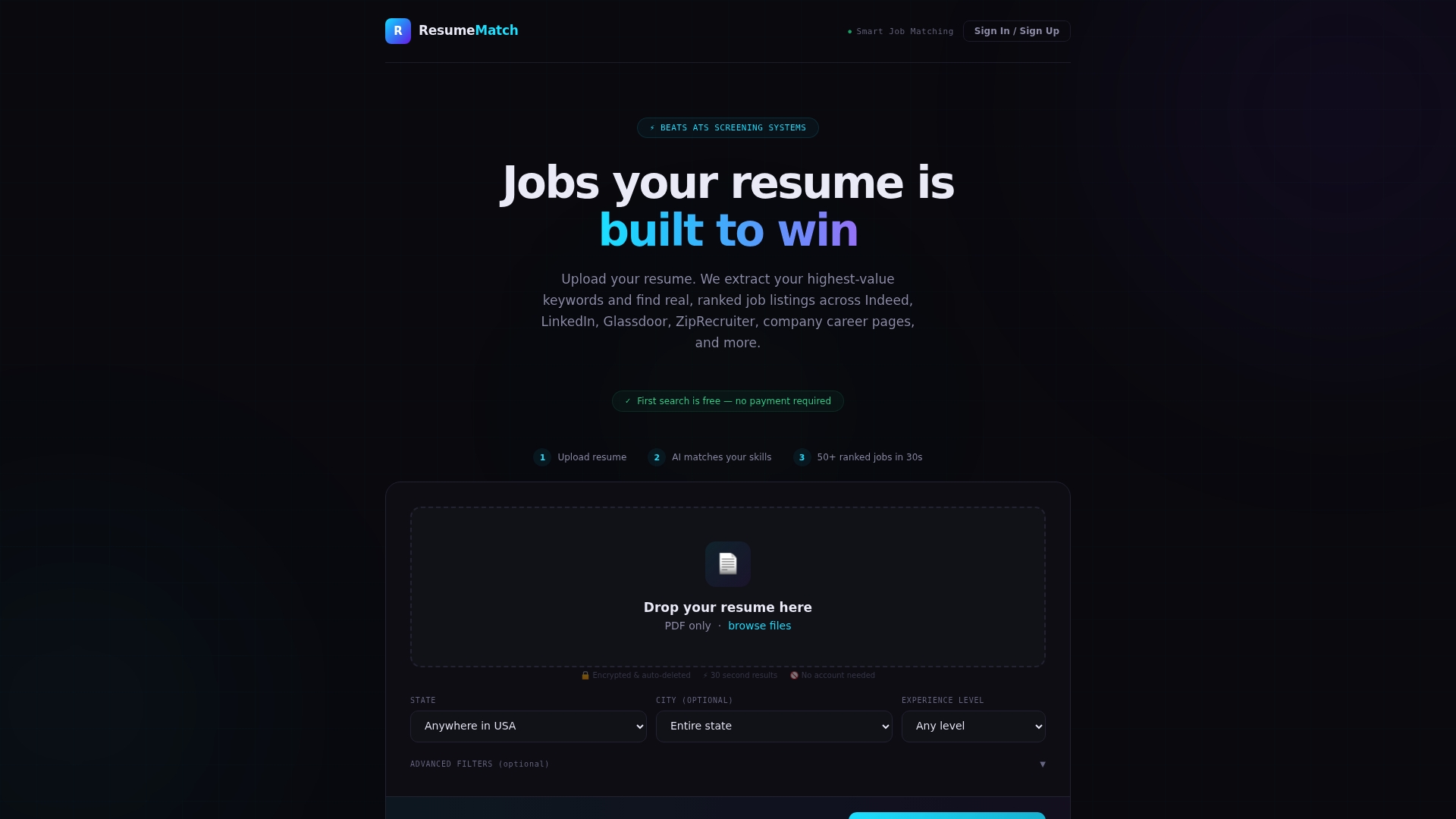
ResumeMatch is built for exactly that moment. Upload your resume once, and its AI analysis extracts the keywords already on it, then matches you against tailored job listings across multiple boards in about 30 seconds. Instead of manually re-reading every posting for repeated terms, you get a Career Probability Report that breaks down your resume gaps, salary insights, and a personalized career strategy in one pass. That’s useful whether you’re applying in bulk, tailoring under a tight deadline, or just trying to figure out why your current resume isn’t landing interviews. If you want a faster read on how well your resume actually matches the roles you’re targeting, start with ResumeMatch and see your Career Probability Report before your next application.
Sources
- How To Use Data Analyst Resume Keywords (With Example) — Indeed
- ATS Resume Keywords for Data Analysts — JobWizard AI
FAQ
What are good keywords for a resume?
Good resume keywords are specific tools, methods, and deliverables pulled directly from the job posting, like SQL, Tableau, or A/B testing, rather than generic phrases like “detail-oriented” or “team player.”
What is the 7-second rule in resumes?
Recruiters typically spend only a few seconds on an initial resume scan, meaning your top keywords and value statement need to be visible immediately in your Summary or headline, not buried in later sections.
What are the top three skills for a data analyst?
SQL, a programming language like Python or R, and one BI visualization tool such as Tableau or Power BI cover the three skills most consistently requested across data analyst job postings.
What is a good headline for a data analyst resume?
A strong headline names your role, your top two or three tools, and a hint of measurable impact, such as “Data Analyst | SQL, Python, Tableau | Automated Reporting for Cross-Functional Teams.”
How do I know which keywords to prioritize for a specific job?
Read the posting closely and note which terms repeat or appear in the first few bullet points, since those usually signal what the employer weights most heavily, a method Indeed’s resume guidance recommends for every new application.